
Registration
How to Register
Step 1: Open the registration page.
When you open the registration website, you will see the login page below. Click Register now to create an account.

Step 2: Create an account.
After you click Register now, you will see the page below. You can sign up with either your phone number or your email address.

Step 3: Log in.
Once your account is created, you will see the page below. Log in to the system.

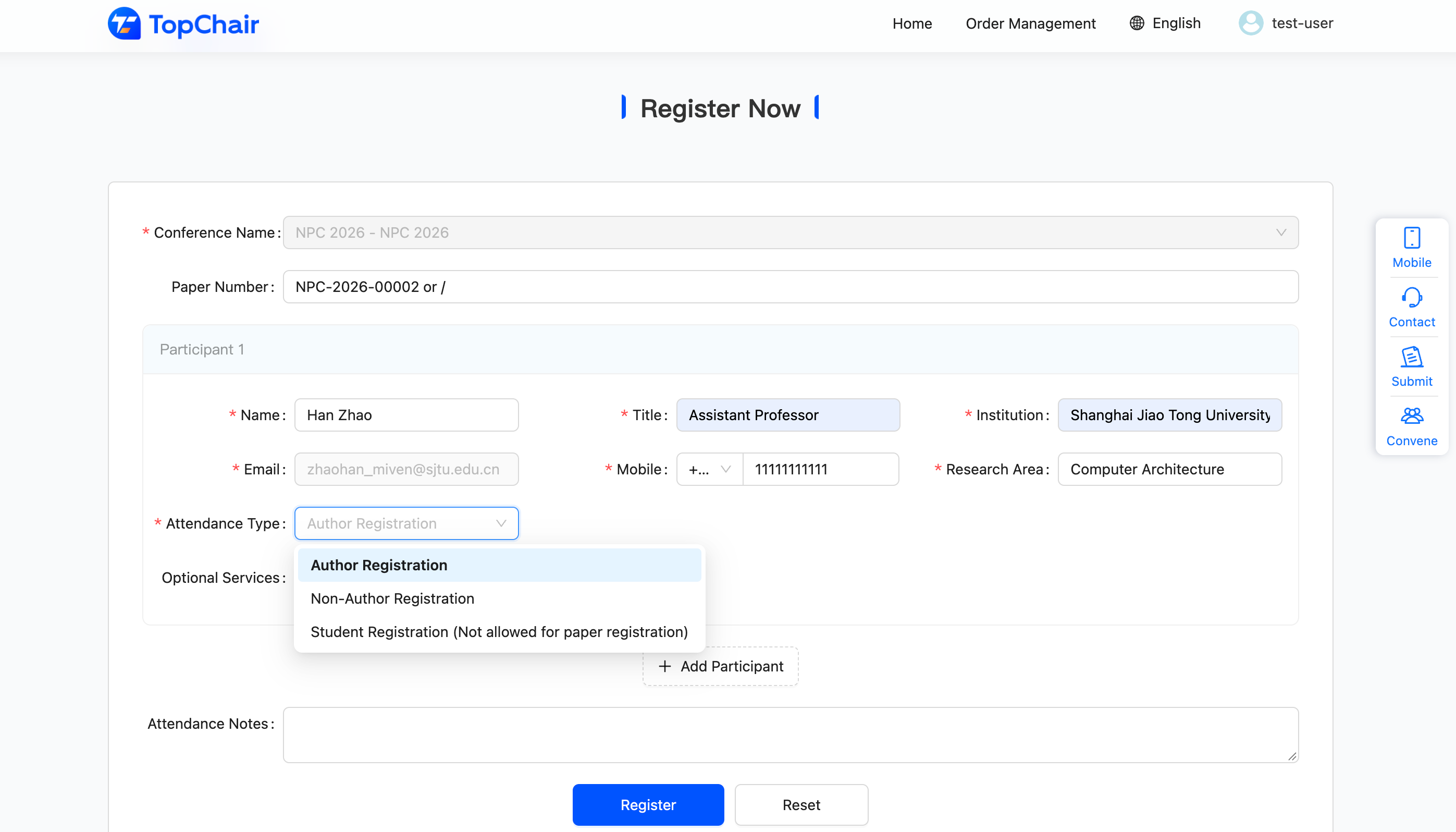
Step 4: Fill in your registration details.
Fill in the required information. Please note:
- Each accepted paper requires one Author Registration. Other authors of the same paper may choose a Non-Author Registration or a Student Registration.
- For each Author Registration, enter the corresponding Paper Number.
- A Student Registration cannot replace an Author Registration.
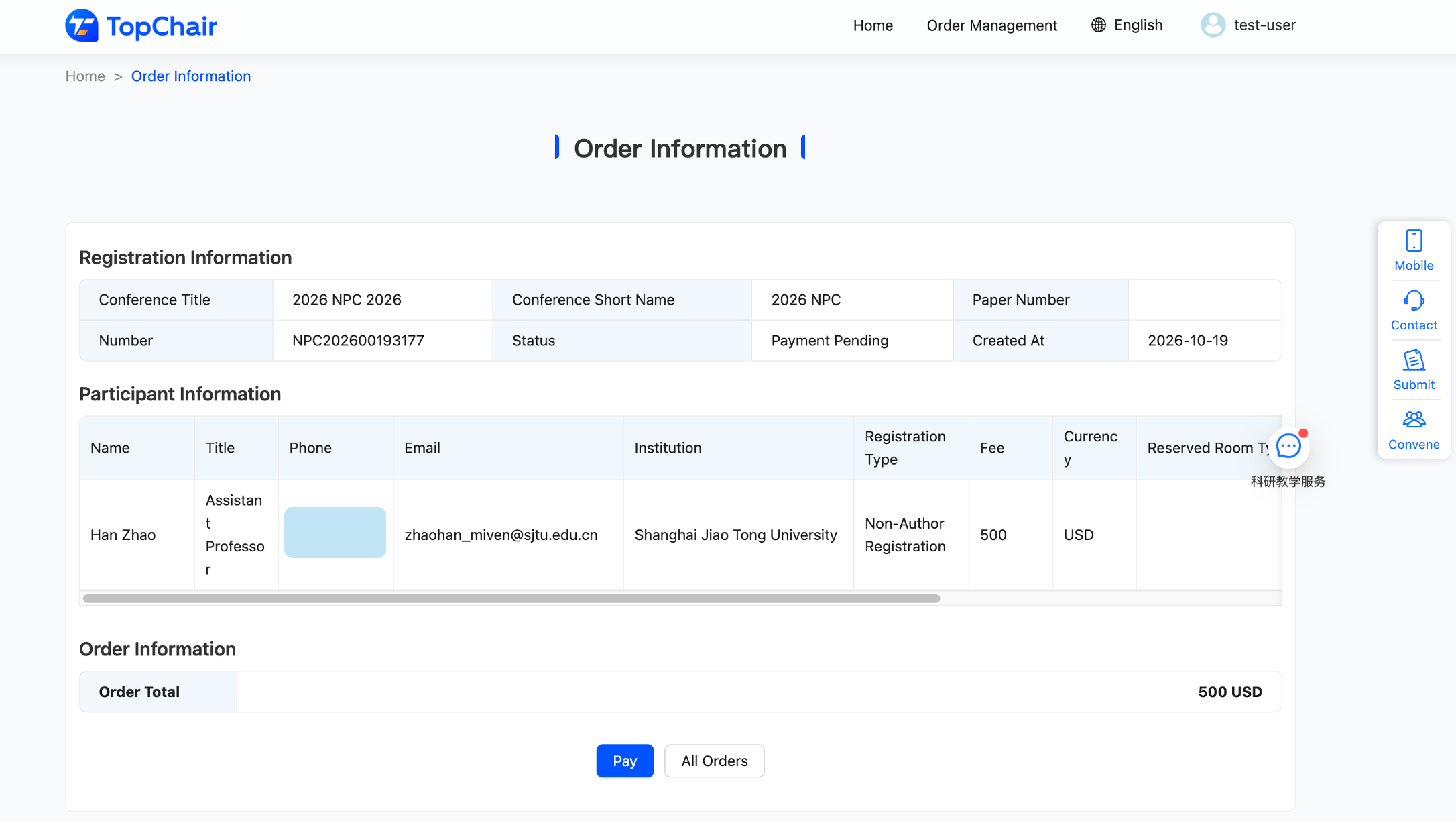
Step 5: Pay the registration fee.
You will see the page below. Click Pay to go to the payment page, where you can pay with Mastercard or Visa.
Step 6: Receive your invitation letter.
After payment, we will send an invitation letter to your email address within 6 hours. If you have any questions about the invitation letter, please email us at zhao-han@cs.sjtu.edu.cn or zongzan@ustb.edu.cn.
Step 7: Receive your receipt.
Every Friday, the registration system will automatically issue receipts for all orders. Please check your email for your receipt at that time.